Tech Tip Tuesday: How to Scan Documents with Nothing Other Than Your iPhone
Turn your iPhone into a portable, high-quality document scanner and ditch the bulky home printer for good. Learn how the built-in Notes app lets you easily digitize receipts, contracts, and more—anytime, anywhere.

You don't need a bulky home printer or a sketchy third-party app that charges $9.99 a week just to scan a single piece of paper. Your iPhone has a high-quality document scanner built right into it—and it is probably hiding in an app you already use every day.
Whether you need to sign a contract, send a receipt, or digitize an old recipe, here is how to do it without spending a dime.
How to do it:
Open the Notes app and start a new note. (You Will Need to Add a Title)
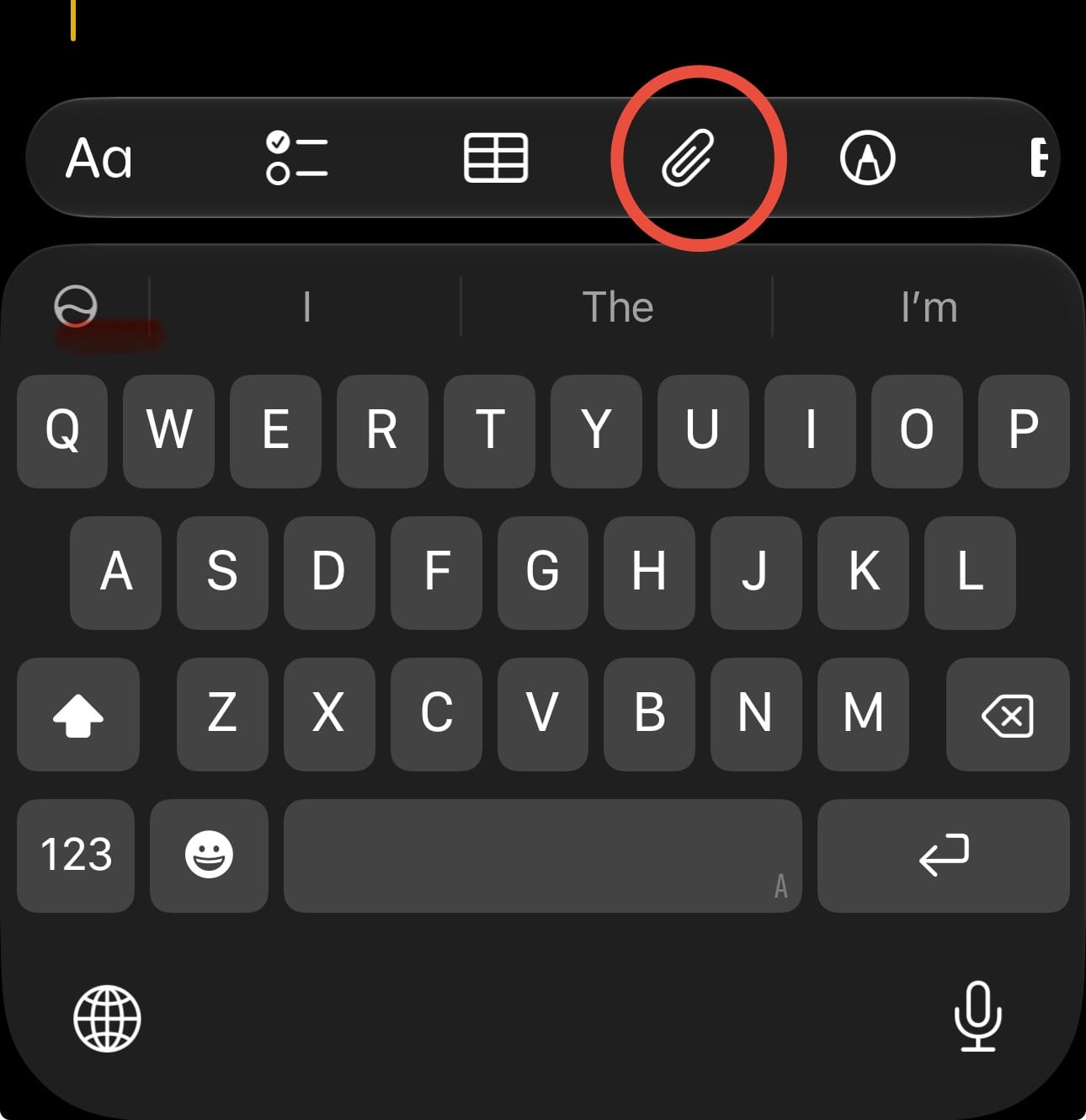
Tap the Paper Clip icon above the keyboard.
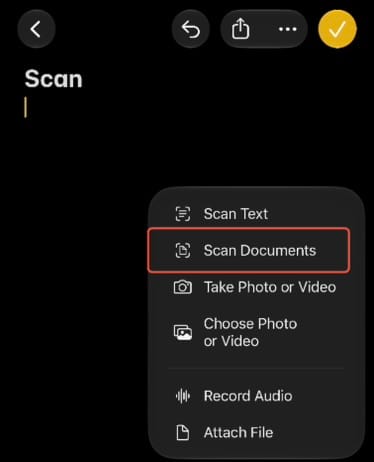
Select Scan Documents.
Hold your phone over the page. Your iPhone will automatically detect the edges, snap the picture, and flatten the image.
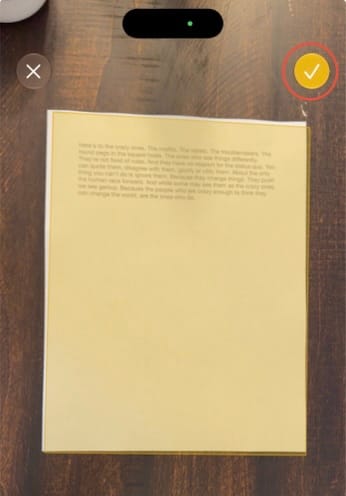
Tap Save in the bottom right corner.
Why this is better than just taking a photo:
The built-in scanner automatically crops out your kitchen table, corrects the lighting so the page actually looks like white paper, and saves the final file as a searchable PDF instead of a massive image file.
Once it is saved, you can tap the share icon to email it, text it, or save it directly to your iCloud Drive.