Tech Tip Tuesday: The Hidden iPhone Button You Didn't Know You Had
Did you know your iPhone has a secret button on the back? Learn how to use Back Tap to instantly trigger shortcuts, take screenshots, and more

Did you know your iPhone has a secret button on the back?
It’s called Back Tap, and it allows you to trigger actions, shortcuts, or accessibility features simply by tapping the back of your phone two or three times. You can use it to quickly turn on your flashlight, take a screenshot, or even launch your favorite app without swiping through your home screens.
If you want to try it out, here is how to set it up:
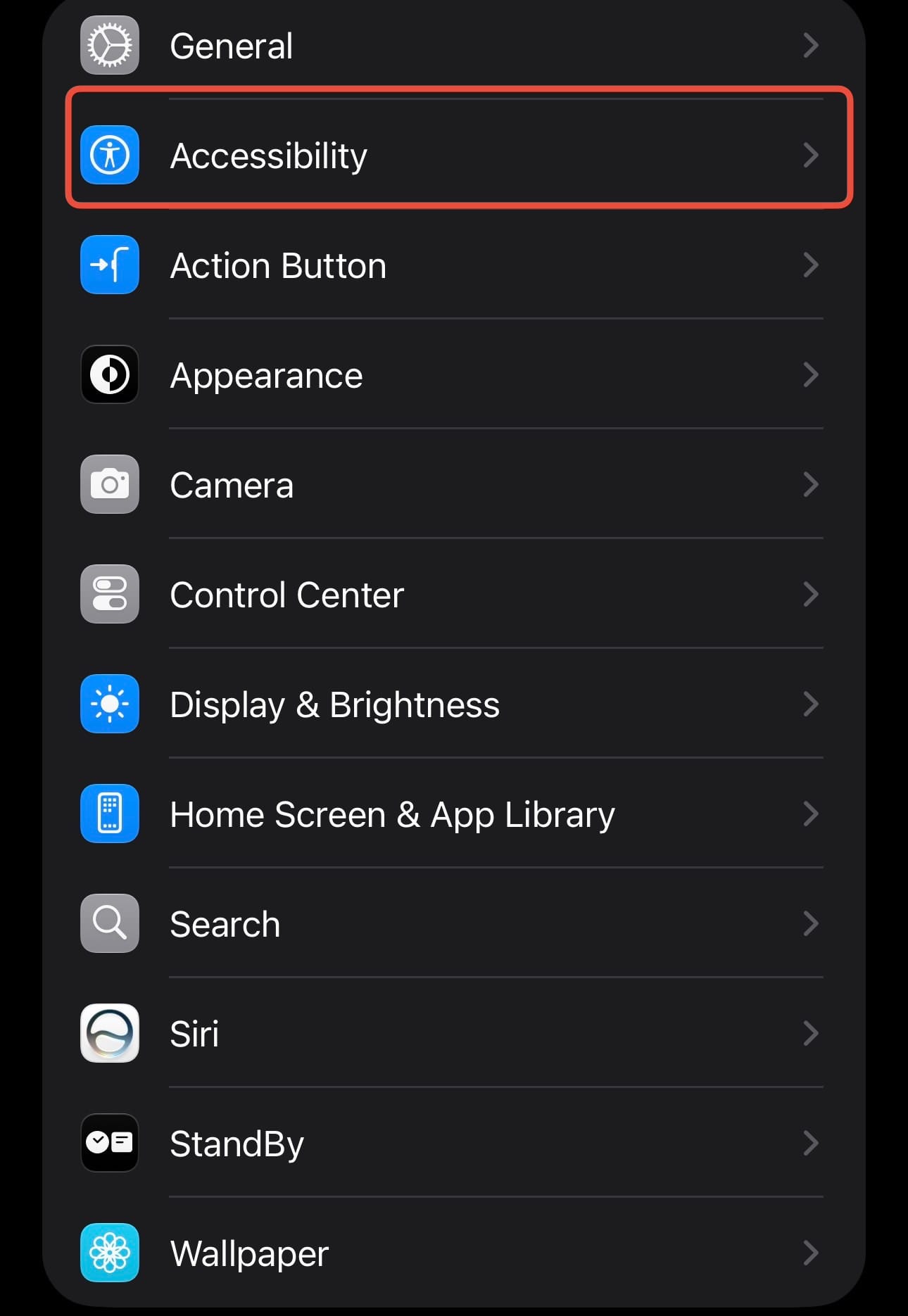
Open Settings and tap Accessibility.
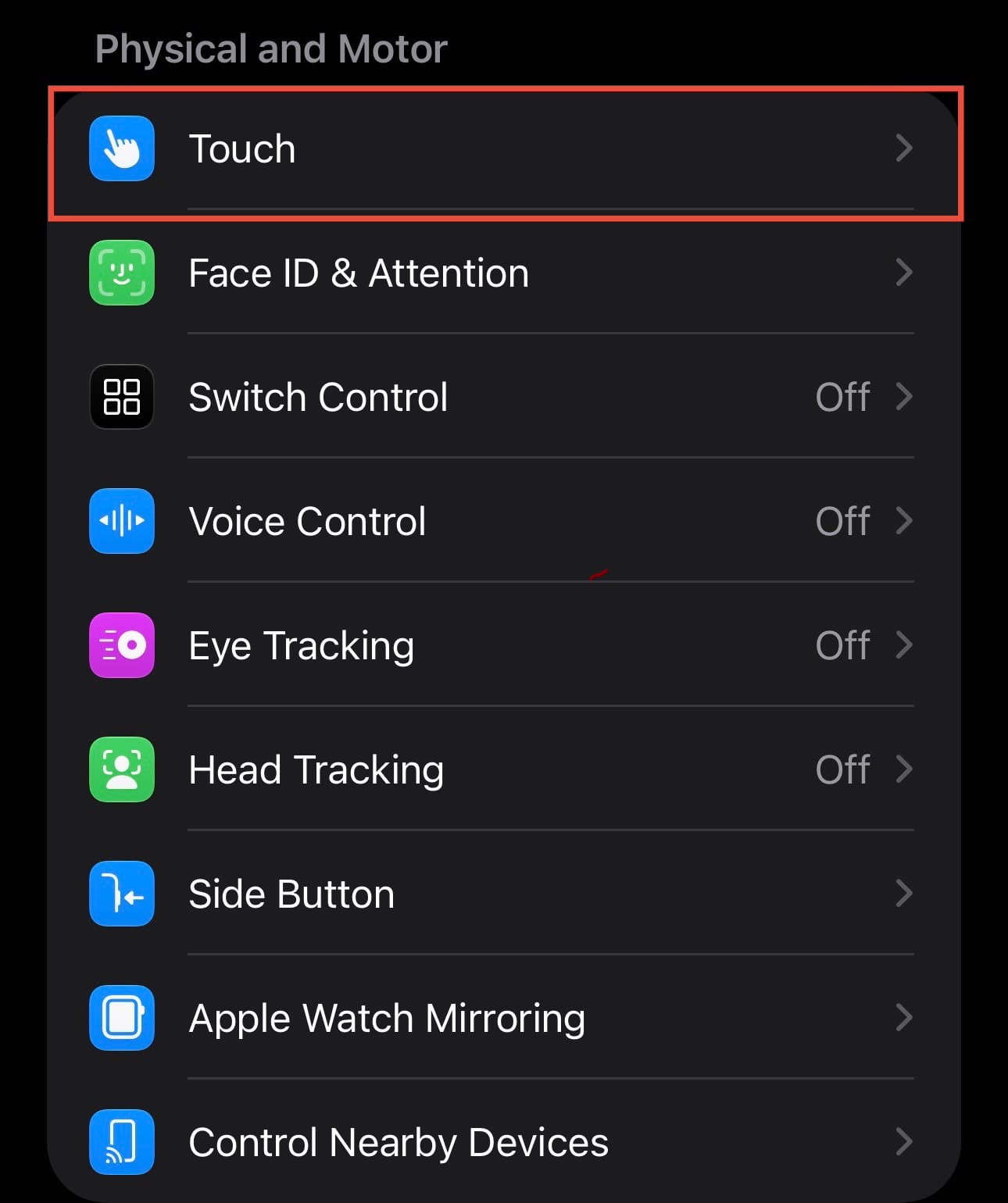
Tap Touch, then scroll all the way down to Back Tap.
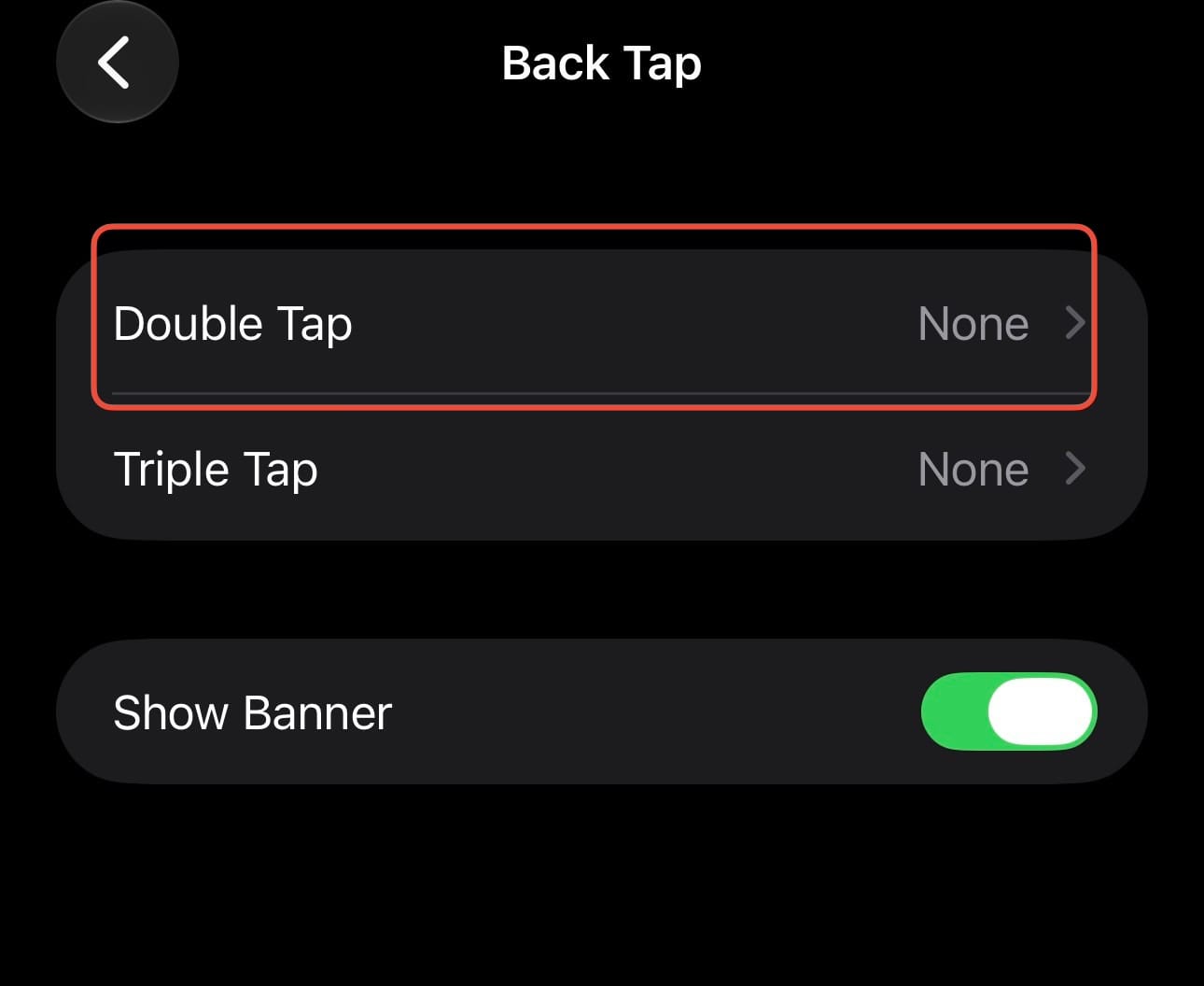
Choose either Double Tap or Triple Tap.
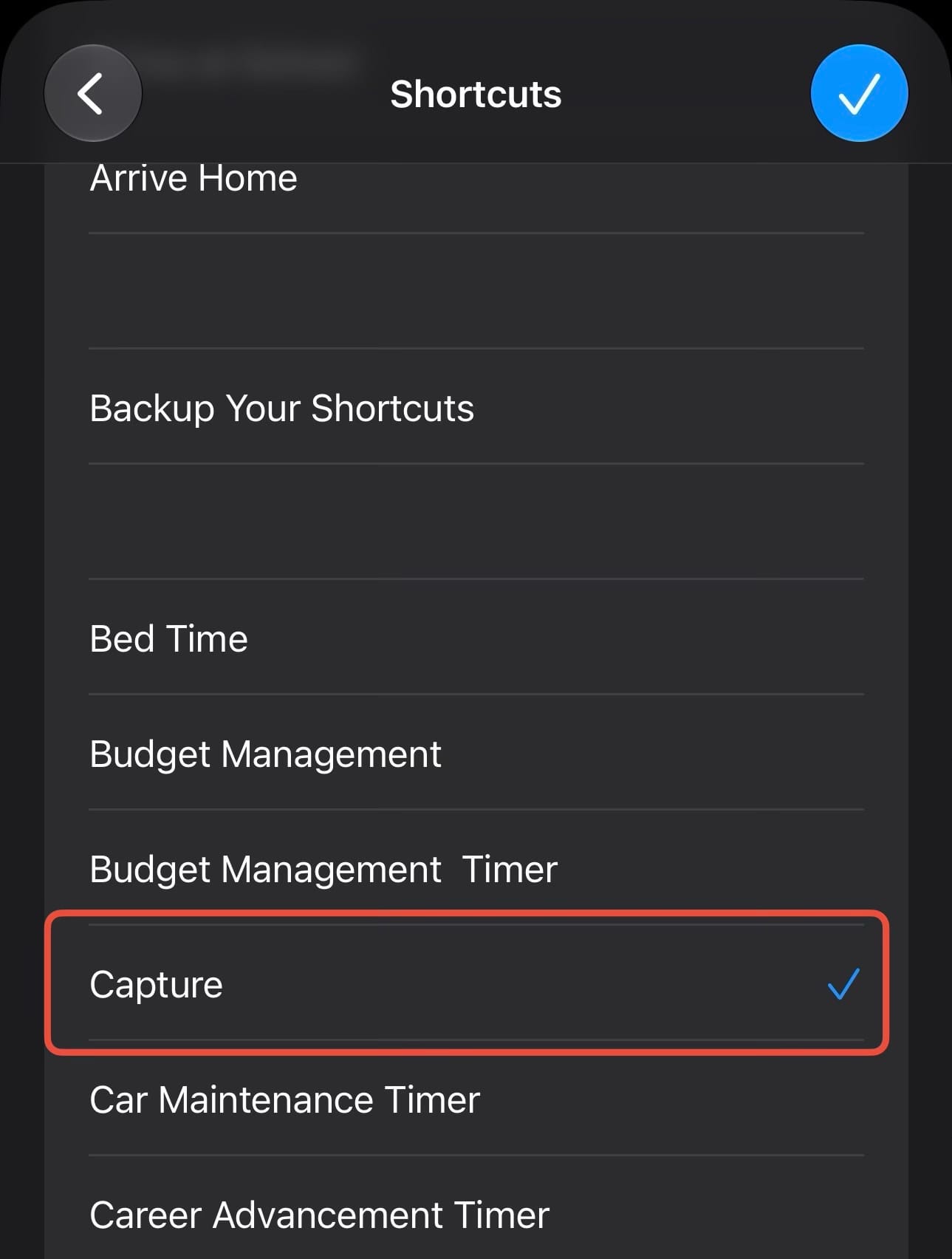
Select the action you want to trigger from the list.
It might take a little practice to get the tapping pressure just right, but once you do, it feels like magic.
Here are a few interesting things you can do with Back Tap on your iPhone, ranging from simple system actions to limitless custom automations:
- Run a Shortcut: This is easily the most powerful option. You can link a Back Tap to any custom Shortcut you have created, allowing you to do things like instantly text your ETA to a partner, log your current weight, or start a specific music playlist with just a tap.
- Take a Screenshot: Instead of fumbling with the side and volume buttons, you can simply double-tap the back of your phone to snap a picture of your screen.
- Turn on the Flashlight: You can toggle your flashlight on and off without needing to wake up your screen or swipe down the Control Center.
- Open the Camera: Quickly launch the camera so you never miss a spontaneous moment.
- Trigger Accessibility Tools: Instantly activate features like the Magnifier to read small text, or turn on VoiceOver when you need it.
What will you set your Back Tap to do? Let us know in the comments!