Find Out What is Draining Your Phone (or iPad) Battery and How to Fix It
Is your iPhone or iPad battery draining too fast? Learn how to find the hidden culprits in your settings and easily fix them to make your device last all day.

Have you ever looked at your device and wondered where all the battery went? You are not alone. Battery drain is a common issue, but the culprit is often hiding in plain sight.
To find out what is using your battery, open the Settings app and tap on Battery. Here, you will see a breakdown of your battery usage by app over the last 24 hours or the last 10 days.
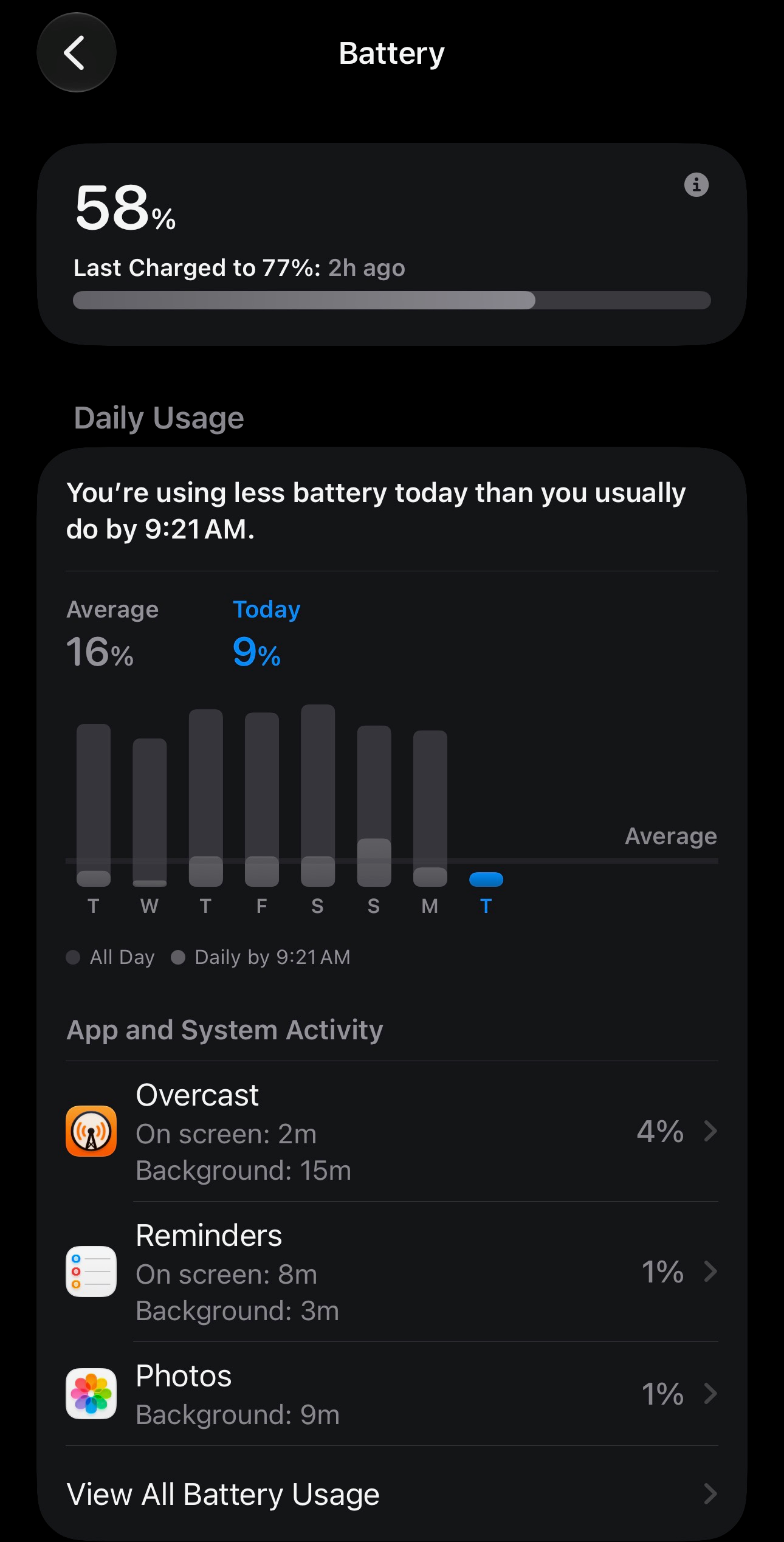
If you see an app using a disproportionate amount of battery, especially in the background, you have a few options:
- Turn off Background App Refresh: This stops the app from updating when you aren't actively using it. This may affect how often information in the app is updated.
- Limit Location Access: Change location settings to "While Using" instead of "Always."
- Delete Unused Apps: If you no longer use an app that is draining your battery, simply remove it.
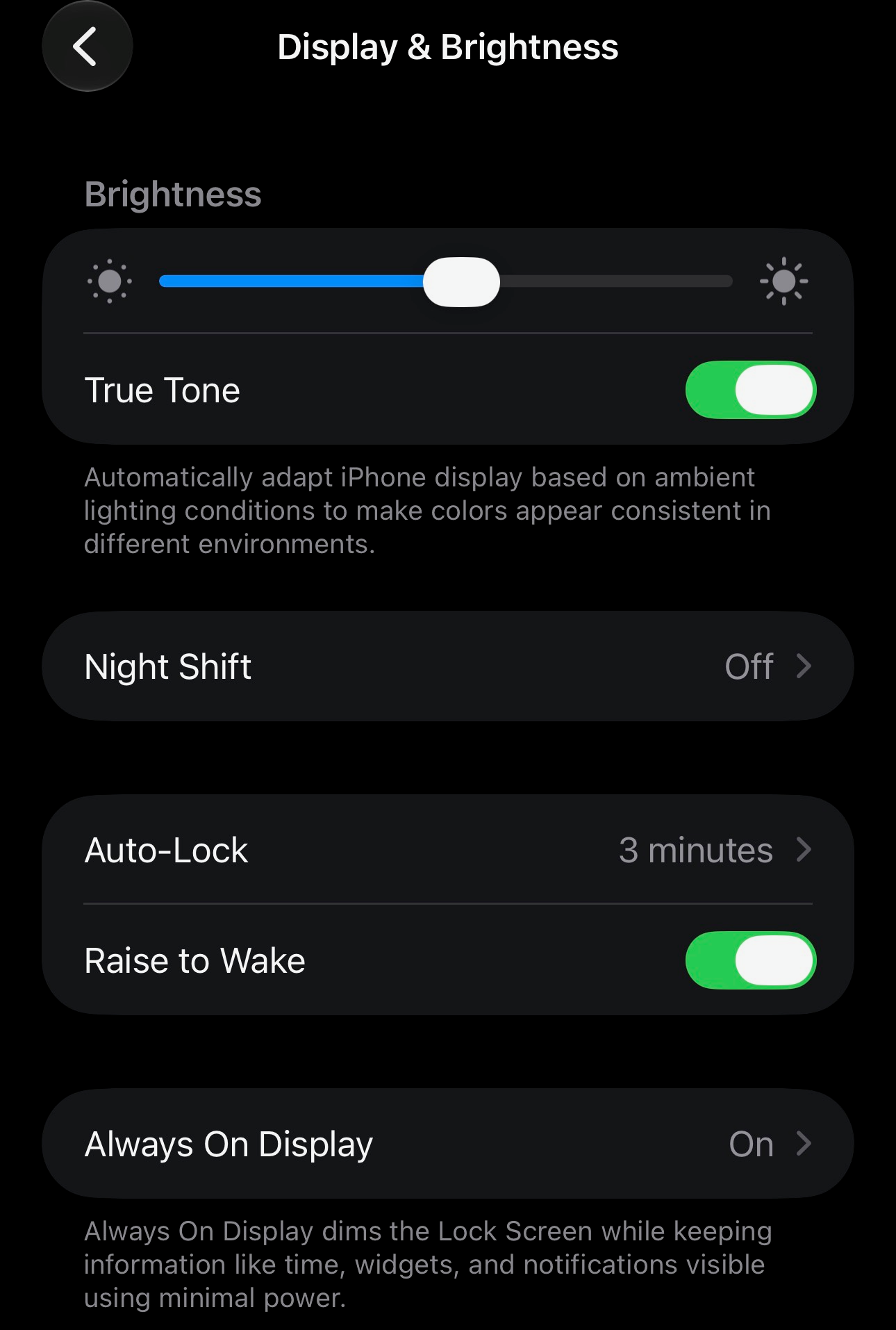
Another common battery drain is the display. Consider turning on Auto-Brightness or lowering your screen brightness manually.
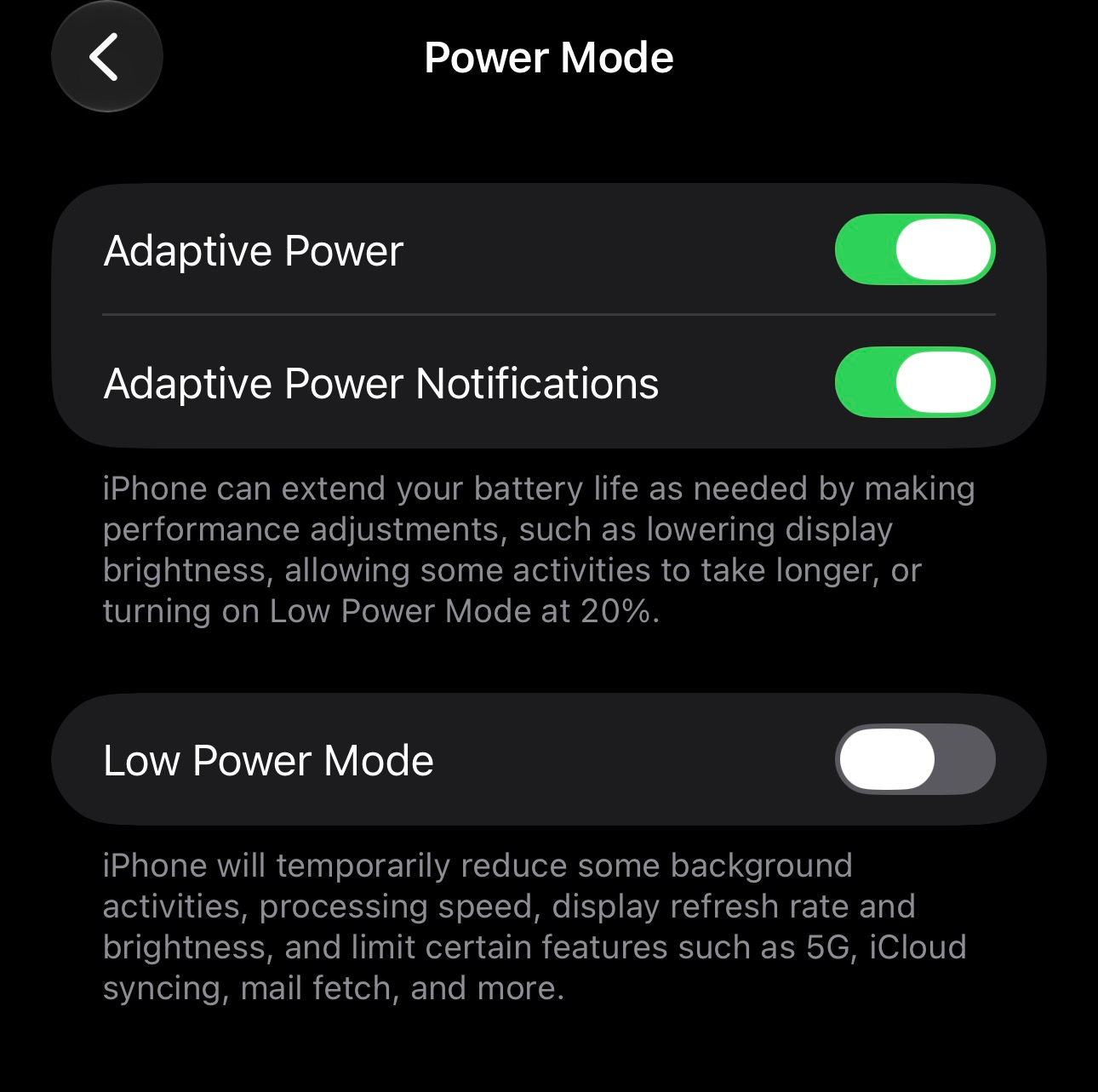
You can also enable Low Power Mode to temporarily reduce background activity until you can fully charge your device.
By taking a few minutes to check your battery settings, you can ensure your device lasts through the day when you need it most